
Indoor climate monitor for every office
PitCanary is an indoor climate monitor for offices, meeting rooms and home offices. One device per room measures 15 things every minute, from CO2 to flicker, and shows one Room score as a colour. The device costs €149 excl. VAT, once, and the dashboard is free for one PitCanary.
- 8 sensors
- 15 measurements
- 1 Room score
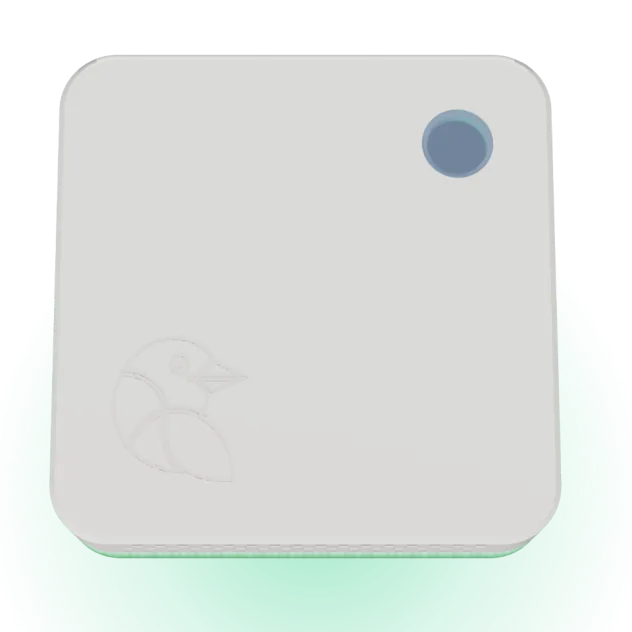
What does the light on a PitCanary mean?
The light on a PitCanary shows the room's Room score: green is good, orange means watch out, red means act. The Room score is one number from 0 to 100, from air quality, temperature, humidity, light and sound. The device works it out itself, so the light works without a display, an app or the internet. Each room is judged on what matters there.
Green. The room is good.
A slow breath. Nothing to do, and everyone in the room can see it without opening a dashboard.
What does an indoor climate monitor measure?
PitCanary measures 15 things in a room every minute: air quality, climate, light, sound, presence and vibration. One device does the work of a CO2 monitor, hygrometer, lux meter, sound level meter, occupancy sensor and data logger.
Air quality2 sensors
Measured CO2, VOC index, NOx index.
- Air-quality verdict
- How often the air is refreshed
- Fresh air per seat
- Outside air came in
- Rebreathed air
Spots 33 kinds of moment in a day: a window opened, a meeting that filled the room.
Light2 sensors
Measured Illuminance, UV, flicker, colour temperature, daylight share, blue share.
- Daylight or lamp light
- Colour temperature
- Blue share
- Circadian day
- Lamp hours in an empty room
Spots 23 kinds of moment in a day: lamps left on in an empty room, light that flickers.
Presence
Measured Presence.
- In use, and how sure we are
- How much people move
- The day's rhythm
- Desk activity
- Use over a period
Spots 23 kinds of moment in a day: the first arrival, a desk that went quiet.
Climate
Measured Temperature, humidity, air pressure.
- Dew point
- Condensation margin
- Humid enough for mould
- How the room holds heat
- Thermal comfort
Spots 31 kinds of moment in a day: a room slow to dry, heat that lingers after hours.
Sound
Measured Sound level, and its spectrum underneath it.
- What the sound is
- The day's mix
- Background noise
- How the room sounds
- Time above 35, 50 and 60 dBA
Spots 45 kinds of moment in a day: voices over a quiet background, a loud lunch.
Vibration
Measured Vibration.
- Kinds of shock
- Shocks per day
- Mounting drift
- Vibration comfort
- Vibration level
Spots 16 kinds of moment in a day: a door slammed, building work next door.
Then it says what to do. Each tip names the action and the Room score points it wins back. It warns before a reading leaves the band for the room.
See the hardwareWhat does the room timeline show?
The room timeline is a written account of each room's day: what happened, what it meant, and the one thing to do. It looks ahead, so the room is still good in an hour. You never have to watch it: when something matters, the people you choose get an alert by email.
- Now, 16:55: the air is getting stale. CO₂ 849 ppm, VOC index 181, rising again since the 16:00 airing. Air the room for ten minutes: stale by about 17:20, Room score under 70 in about 25 minutes.
- 16:00 to now, Room score 82: aired at 16:00, then in use again.
- 16:48: a knock on the desk.
- 16:40: music on since 16:40.
- 15:30 to 16:30: the air got less fresh for an hour. The air quality index rose from 139 at 15:30 to 270 at 16:00, mostly while the room was empty, and eased by 16:30. It faded by itself; outside air clears it fastest.
- 14:30 to 16:30: up 1.4 °C, the room in use. From 21.2 °C at 14:30 to 22.6 °C at 15:30, with the heating off; back to 22.0 by 16:30.
- 14:30 to 16:20: CO₂ to 860 ppm, the room busy. From 615 ppm at 14:30 to 860 at 15:30, aired at 16:00, back to 610 by 16:20.
- 16:02: lights on.
- 16:00: Outside air came in. CO₂ 860 to 610.
- 15:00 to 16:00, Room score 80: warm, heavy air by 15:30, then empty.
- 15:50 to 16:00: shocks from the building for 10 minutes, in an empty room.
- 15:30 to 16:00: away for 30 minutes.
- 15:32: lights off.
- 15:30: CO₂ and warmth pulled the score from 84 to 80.
- 14:50 to 15:20: sun on the desks for 30 minutes, up to 1,840 lx at the window side, about four times the usual at this hour.
Where can you read PitCanary data?
You read PitCanary data in the browser, on a hallway screen, as a download, through the API, or in an AI assistant through the MCP server. Everything a PitCanary measures belongs to you.
The room view of a demo meeting room: its Room score of 81 out of 100 with the reason in one sentence, the score over the last 24 hours, today's timeline with what to do now, and the recommendations that would bring the score to 88.
The location view of a demo headquarters: a location score of 82, every room's score through the day with what happened in it, and one timeline for the whole building that names the room to air first.
The hallway screen of a demo headquarters, showing one room at a time: its Room score over the last 24 hours, its readings against their targets, its recommendations and the day's timeline. The screen moves on to the next room by itself.
A coding agent connected to PitCanary through MCP. Asked why a meeting room felt stuffy, it reads the room's timeline and readings, explains that the CO₂ peaked at 1,480 ppm during a long meeting, and on request lowers the room's warning line and sets up an alert.
Six routes lead to the same data: the dashboard, an export, the API, MCP, Home Assistant over MQTT and a local API on your own network.
See all integrationsTwenty years of offices, each measured with a drawer full of meters. So I built the device that replaces them all.
How much does PitCanary cost?
A PitCanary costs €149 excl. VAT per device, once, and the dashboard is free for one PitCanary in one location. A second PitCanary moves you to a monthly plan, and every plan has every feature. See every plan and price.
Free. 1 PitCanary in 1 location, for as long as you like.
The dashboard is optional. On your own network every PitCanary runs without a subscription, with Home Assistant or its local API.
Billed monthly, no annual contract. All prices exclude VAT.
When can you order a PitCanary?
Ordering opens in January 2027. Subscribe to the newsletter and we tell you the day you can order. No account, a handful of emails a year, one-click unsubscribe.
- March 2025The idea
- June 2025First prototype
- June 2025 to November 2026Firmware, API, dashboard and website built
- 12 November 2026Second prototype, the revision
- December 2026Fine-tuning
- January 2027Available to order
Let the room
speak.
One PitCanary on the wall and the room tells you what it needs. The dashboard for your first room is free.